Nioh 3 Trainer
⬇ Jump to Download
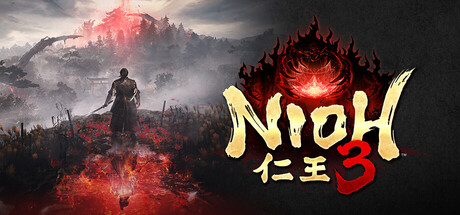
Nioh 3 (Action, RPG) developed by KOEI TECMO GAMES CO., LTD.: In the third game in the dark samurai action RPG series Nioh, you will need to use both Samurai and Ninja combat styles in your battles against formidable yokai as you explore a thrilling open field. This v1.0-v2.0+ offline trainer includes God Mode/Ignore Hits, Infinite Health, Infinite Ki.
Nioh 3 Trainer Hotkeys & +50 Cheats (v1.0-v2.0+)
Num 1 – God Mode/Ignore Hits
Num 2 – Infinite Health
Num 3 – Infinite Ki
Num 4 – Max Arts Gauge
Num 5 – Max Amrita Gauge
Num 6 – Infinite Living Artifact Duration
Num 7 – Infinite Ninjutsu
Num 8 – Infinite Spirit Force
Num 9 – Infinite Consumables ?
Num 0 – Infinite Arrow & Ammo ?
Num . – Infinite Buff Duration
Ctrl+Num 1 – 100% Drop Rate
Ctrl+Num 2 – Max Drop Rarity ?
Ctrl+Num 3 – Zero Equipment Weight ?
Ctrl+Num 4 – Super Ki Damage/One Hit Break ?
Ctrl+Num 5 – Ki Damage Multiplier ?
Ctrl+Num 6 – Super Damage/One Hit Kills ?
Ctrl+Num 7 – Damage Multiplier ?
Ctrl+Num 8 – Defense Multiplier
Ctrl+Num 9 – Ki Consumption Rate
Ctrl+Num 0 – Max Ki Pulse Recover Amount
Ctrl+Num . – Max Glory ?
Ctrl+Num + – Glory Multiplier
Ctrl+Num / – Max Weapon Familiarity ?
Ctrl+Num * – Weapon Familiarity Multiplier
Alt+Num 1 – Edit Prestige Points ?
Alt+Num 2 – Edit Samurai Points ?
Alt+Num 3 – Edit Ninja Points ?
Alt+Num 4 – Edit Common Skill Capacity ?
Alt+Num 5 – Edit Samurai Skill Capacity ?
Alt+Num 6 – Edit Ninja Skill Capacity ?
Alt+Num 7 – Edit Kodama Merit ?
Alt+Num 8 – Edit Jizo Merit ?
Alt+Num 9 – Set Move Speed
Alt+Num 0 – Set Game Speed
Ctrl+F1 – Edit Money
Ctrl+F2 – Money Multiplier
Ctrl+F3 – Edit Amrita
Ctrl+F4 – Amrita Multiplier
Ctrl+F5 – Won’t Lose Amrita & Guardian On Death
Ctrl+F6 – No Forge Equipment Requirements ?
Ctrl+F7 – No Forge Tools Requirements ?
Ctrl+F8 – No Remodel Requirements ?
Shift+F1 – Edit Usable Items Amount ?
Shift+F2 – Edit Projectiles Amount ?
Shift+F3 – Edit Smithing Materials Amount ?
Shift+F4 – Edit Storehouse Items Amount ?
Shift+F5 – Edit Ochoko Cup Amount ?
Shift+F6 – Edit Yokai Teardrop Amount ?
Shift+F7 – Edit Valor Record Amount ?
How to Install & Use the Nioh 3 PC Trainer
- Download the Nioh 3 (v1.0-v2.0+)
.ziparchive from the Download Vault below and extract it to a folder. - Launch Nioh 3 on PC (Steam / offline mode) and load into single-player gameplay first.
- Run the extracted trainer executable as Administrator and press the hotkeys listed above to toggle cheats in real time.
Safety Notice: Strictly for offline single-player campaigns and sandbox testing — never use in online or PvP multiplayer modes.
Nioh 3 Trainer FAQ (v1.0-v2.0+)
Which game version does this Nioh 3 trainer support?
This build is tested for Nioh 3 build v1.0-v2.0+ (last verified 2026.08.20) on 64-bit Windows 10 and Windows 11.
What cheats are included in the +50 options?
Key single-player options include God Mode/Ignore Hits, Infinite Health, Infinite Ki, Max Arts Gauge, plus all additional hotkeys listed in the reference table above.
Why does Windows Defender flag trainer executables?
Standalone PC trainers modify single-player memory values in RAM while the game runs, which can trigger generic heuristic false positives. Extract from our verified .zip archive and run only in offline single-player mode.
Buy the console and the game
| Item | Amazon | eBay |
|---|---|---|
| PS5 DualSense controller | Amazon | eBay |
| Xbox Wireless Controller | Amazon | eBay |
| GTA V (PS5) | Amazon | eBay |
| GTA V (Xbox) | Amazon | eBay |
Links are affiliate links. We earn a small commission if you buy, at no extra cost to you.